
Most "free" booking tools are a free trial in disguise: two weeks later you hit a paywall, or the free version only gives you a booking page your clients never visit. RentABot works differently. Its free plan is a plan, not a trial — no credit card, no expiry date — and it puts booking where your clients already talk to you: WhatsApp, Telegram, Instagram and Facebook Messenger. Here's what you get, who it's for, and when it's worth upgrading.
What "free" means here
When you sign up, your account starts on the free plan and stays there for as long as you like. There's no countdown and no card to enter. You upgrade only when you outgrow it — and if you never do, you never pay. The plan's current limits — how many services, team members and bookings a month it covers — are listed in the pricing section, and they're sized for a solo professional or a small team.
What you can do on the free plan
The free plan isn't a cut-down demo — the core of RentABot is all there:
- Booking in chat — clients pick a service, see real free times and confirm, in Telegram, WhatsApp, Instagram or Messenger.
- Services and team — each service with its own length, price, description and photo; each team member or room with their own schedule.
- Automatic reminders — the day before and two hours before, with one-tap confirm or cancel.
- Google Calendar sync — two-way, so bookings appear in your calendar and personal plans block booking times.
- One inbox — answer clients from every channel in one place, and book on their behalf with Book for Client.
- Six languages — the bot talks to clients in English, German, French, Ukrainian, Russian or Polish.
Who the free plan suits
It's built for appointment businesses that live in their messages: a hairdresser or barber, a nail or lash artist, a massage therapist, a personal trainer, a tutor, a photographer. If most of your bookings already start with "do you have anything on Friday?", the free plan turns those chats into confirmed appointments without you typing the replies. See how it works for salons and barbershops or for tutors and coaches.
Set it up in an afternoon
- Create your free account — no card needed.
- Add your services with their length and price, and add yourself or your team with working hours.
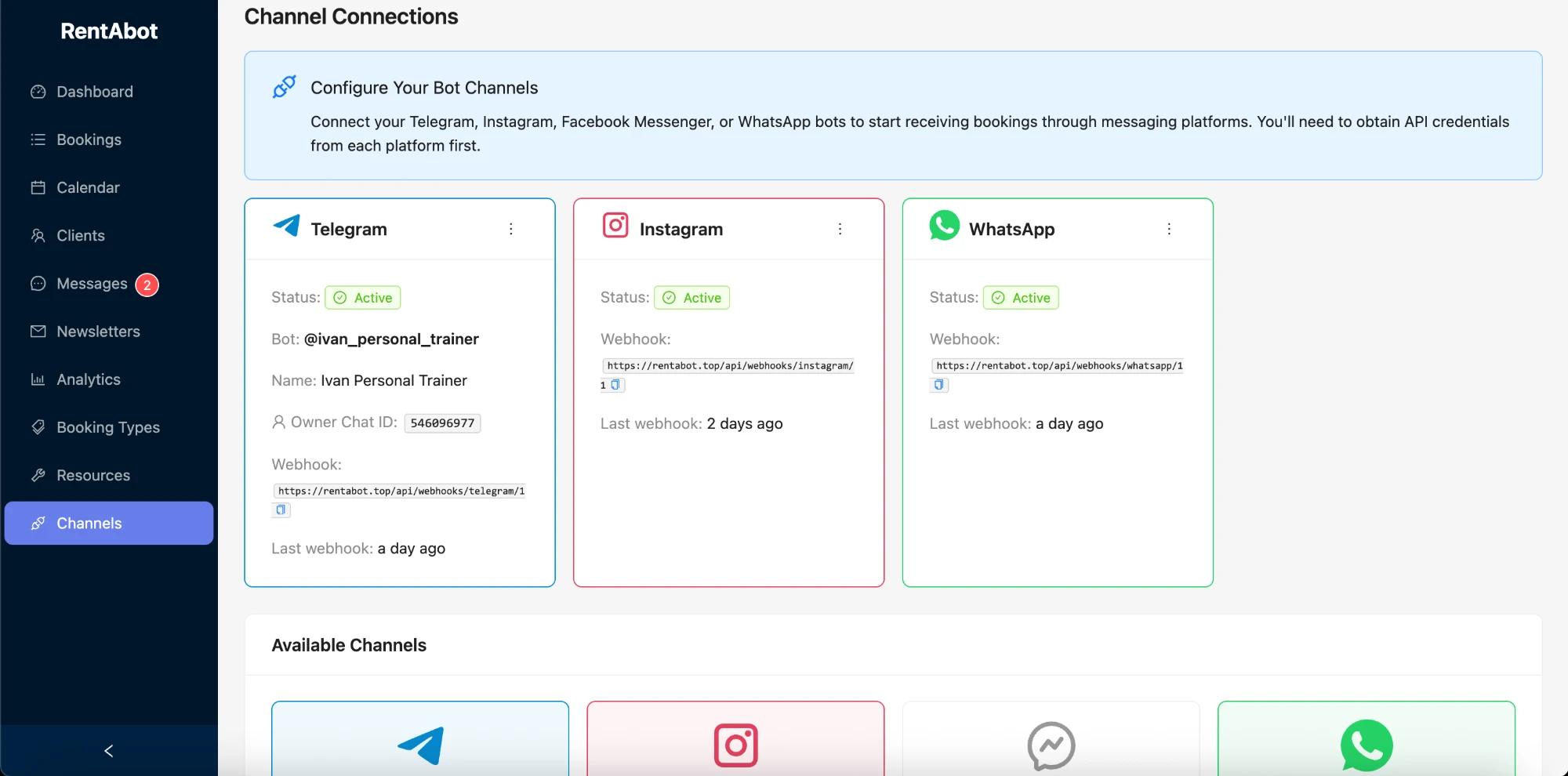
- Connect a channel. Telegram takes a few minutes with the Telegram setup guide, and WhatsApp connects through Meta's own sign-up — see the WhatsApp guide.
- Share your booking link in your Instagram bio, your WhatsApp profile and on your website.
The getting-started guide walks through every step.
When it's worth upgrading
Upgrade when the business grows past the free plan's limits — more team members or services, more bookings a month, or clients who book further ahead. Paid plans come with a free trial, so you can try them before paying. Until then there's no need: the features that fill your calendar and cut no-shows are already in the free plan. Reminders alone make a real difference — here's how they reduce no-shows.
Why a chat beats a free booking page
Many free booking tools give you a booking page and stop there. But a page is one more link your client has to open, while a chat is where they already are — and where they asked you in the first place. Booking inside the conversation means fewer drop-offs and fewer "I'll book later" messages. Here's the full comparison: booking in chat vs a booking page.
Ready to try it? Start free — your account is on the free plan from the first minute. Want the big picture first? The overview guide covers all four channels.
Comments
No comments yet. Be the first to share your thoughts or ask a question.