For tutors and coaches, the diary is the business — and it's mostly booked by message. "Do you have a slot for maths on Tuesdays?", "Can my son try a lesson first?", "Can we move Thursday to Friday this week?" Every one of those is a back-and-forth you answer between lessons, often late in the evening. A booking bot handles that scheduling in the chat apps your students and their parents already use, so lessons land in your calendar while you're busy teaching. Here's how to set it up for private tutoring, language or music teaching, or coaching.
Why chat booking suits tutors & coaches
Your students — and for younger learners, their parents — already message you on WhatsApp, Instagram or Telegram. Instead of trading times by hand, they book in the same chat: pick the lesson, pick a free slot, done. It works at 11pm when a parent finally sits down to sort out next week, it works while you're mid-lesson, and you stop being the human calendar for everyone.

Map your teaching in three pieces
RentABot describes your teaching the way you'd explain it:
- Lessons & sessions → Booking Types. A free 20-minute trial, a 45- or 60-minute lesson, a 90-minute exam-prep session, a coaching call — each with its own length and price. A 90-minute session blocks exactly 90 minutes; a quick check-in only takes what it needs.
- You or your teachers → Resources. Teaching solo? You're the single resource. A small school or tutoring centre? Each teacher is their own resource, so two students are never booked with the same teacher at the same time.
- Teaching hours → Availability. After-school afternoons, evenings, Saturday mornings — set the hours you actually teach, and the bot only offers those slots.
New to the setup? The getting-started guide walks through services, resources and the calendar.
Make the trial lesson your front door
Most new students start with a question: "can we try one lesson first?" Make a Trial lesson its own booking type — short, often free — so a curious student or parent can lock in a time straight away instead of waiting for you to reply. Teaching online? Put your video-call link in the booking type's description, or drop it into the chat — the conversation and the booking sit side by side in your inbox. Once a student is regular, booking next week's lesson takes a few taps in the same chat. Coaching more on the fitness side? See the guide for fitness & personal trainers.
Protect your hours from no-shows
A forgotten lesson is an hour you can't get back — and late cancellations from busy families add up fast. RentABot sends automatic reminders before each lesson to whoever booked it, student or parent, and they can confirm or cancel in one tap, giving you time to offer the slot to someone else. State your cancellation policy right in the booking chat so expectations are clear from the first lesson. More in how to reduce no-shows.
One calendar for every student
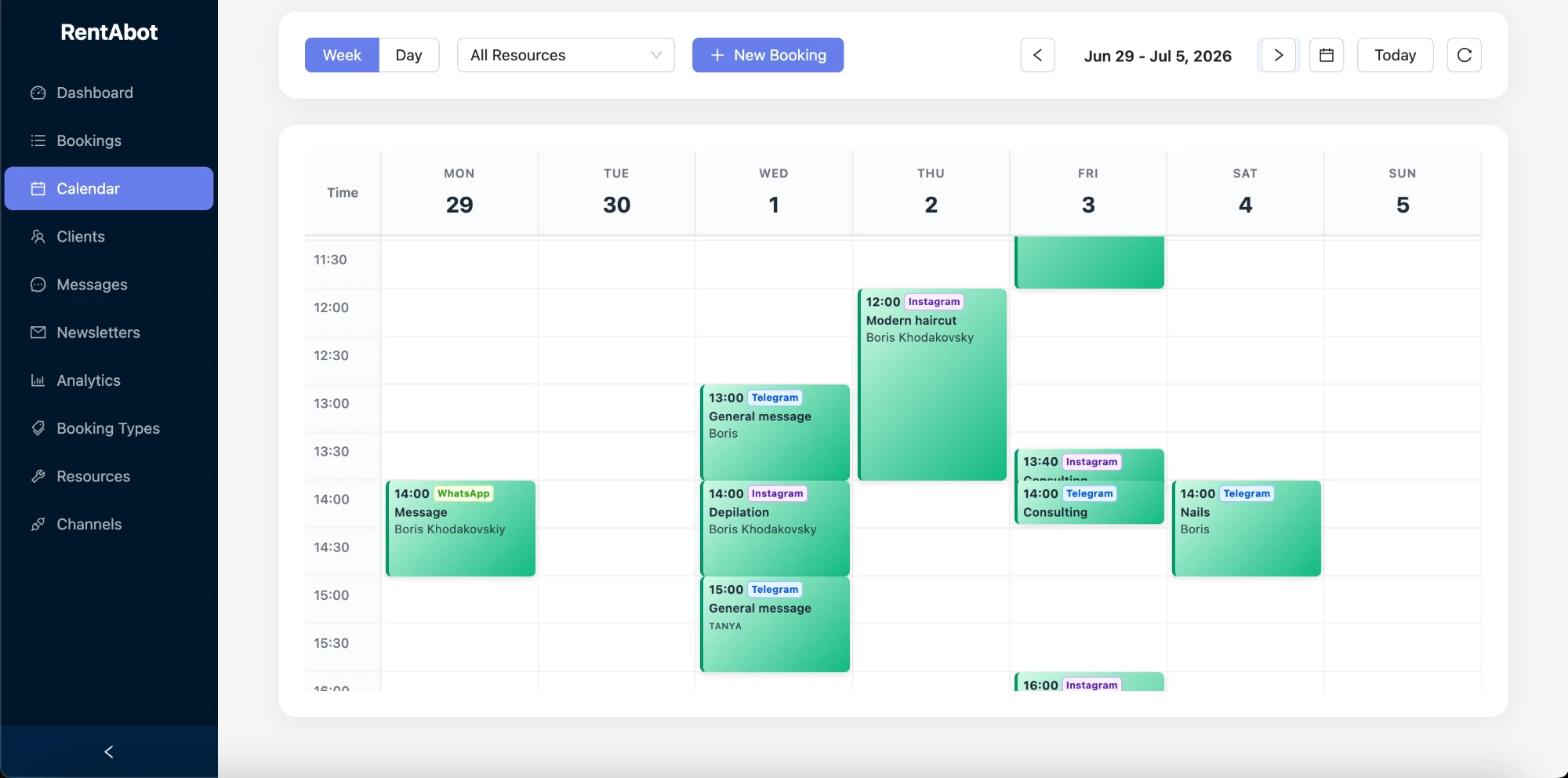
Every lesson appears in one week view, tagged with the app it was booked from. Connect Google Calendar and it all syncs there too — block school holidays, exam weeks or your own time off, and the bot stops offering them. Move a lesson in your calendar and the booking updates, with the student notified. Here's how the two-way sync works.
Be bookable where students and parents message you
Add your booking link to your Instagram bio, your WhatsApp profile, your website and your tutoring listings. Connect Instagram, WhatsApp, Facebook Messenger and Telegram — students book wherever they find you, and everything lands in one calendar. Before a new term or exam season, send a quick newsletter to your students with a "Book now" button and watch the diary fill.
Ready to stop scheduling by hand? Start free and set up your lessons in an afternoon. Want the big picture first? The overview guide covers all four channels.
Comments 3