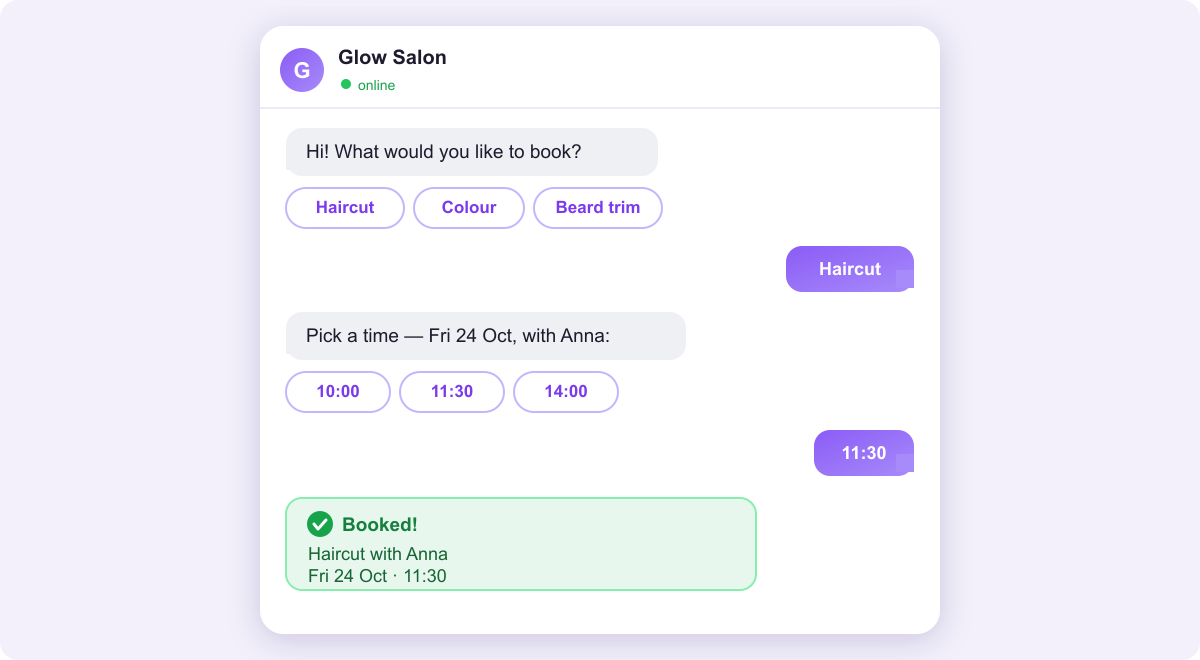
If you take appointments by message, you've probably wondered which app to use. Telegram and WhatsApp can both run a booking bot, and clients book the same way on each: pick a service, pick a time, done. But they differ in ways that matter to a small business, especially on setup, cost and reminders. Here's an honest comparison.
The short answer
- Choose WhatsApp if that's where your clients already are. An app they use every day beats a cheaper one they don't.
- Choose Telegram if your clients use it too, or if you want the fastest and cheapest start.
- Use both if your clients are split. Bookings from both land in one calendar.

Telegram: fast to set up, free to run
You create a Telegram bot yourself with BotFather, Telegram's official tool, and no business verification is needed. The Telegram setup guide takes about 10 minutes.
- No message fees. Telegram doesn't charge for bot messages.
- No 24-hour limit. Once a client has started your bot, it can message them at any time, so confirmations and reminders simply go out.
- Handy for you too. With Telegram connected, RentABot can alert you to new bookings, and you can confirm, decline or reschedule right from the chat.
- Review requests. After a visit, Telegram clients are asked to rate it. For now, it's the only channel that does this.
The catch: your clients need Telegram. In some countries nearly everyone has it; in others, very few do.
WhatsApp: where your clients already are
In many countries WhatsApp is simply how people message each other, so there's nothing new for a client to install. That reach is its biggest strength. Setup takes more work: you need a Meta Business account and a phone number that isn't already used on a personal WhatsApp account. The WhatsApp guide walks through it. WhatsApp also comes with rules that Telegram doesn't have, and those are the real difference between the two.
The real difference: the 24-hour window and message costs
- The 24-hour window. On WhatsApp you can reply freely for 24 hours after a client's last message. After that, you can only send a message template that has been approved in advance.
- Message fees. Clients' messages to you are free, but Meta charges for the messages you send. Each number currently gets 1,000 free service messages a month; after that they're charged. Template messages are charged too, and since October 2026 that includes utility templates sent inside the 24-hour window. Rates vary by country.
- Payment method. Meta warns that service messages may stop being delivered if there's no payment method on file, so add one to your WhatsApp Business account.
Reminders show why this matters. A reminder usually goes out more than 24 hours after the client's last message, so on WhatsApp it has to be an approved template, and each one is a paid message. On Telegram the same reminder is free. The cost per message is usually small, but it grows with volume, so check Meta's current pricing for your country. Reminders are worth having either way: here's how they reduce no-shows.
How to choose
Forget the global statistics and look at your own clients:
- Where do clients message you today? Look through your last 30 conversations. Whichever app shows up most is usually your answer.
- How soon do you want to start? Telegram can be live today. WhatsApp needs Meta's setup first.
- How many messages will you send? On Telegram, volume doesn't change your bill. On WhatsApp, it does.
Whichever you pick, booking in a chat is the right instinct. Here's why it tends to beat sending clients to a form: booking in chat vs a booking page.
You don't have to pick just one
With RentABot you can connect both. Clients use whichever app they prefer, and every booking lands in one calendar, so you never double-book. A good path is to start with Telegram today, then add WhatsApp as clients ask for it. Both are included on the free plan.
Ready to take bookings in chat? Start free and connect your first channel in an afternoon. Want the big picture first? The overview guide covers all four channels.
Comments
No comments yet. Be the first to share your thoughts or ask a question.