Every empty chair you expected to be full is money gone — and no-shows are the quietest way a service business loses it. The good news: most no-shows aren't people being rude. They forgot, they double-booked, or they had no easy way to cancel. A well-timed reminder fixes almost all of that. Here's how to cut no-shows, and how RentABot does it for you automatically.
Why clients don't show up
Three reasons cover the vast majority:
- They forgot. A booking made a week ago is easy to lose track of.
- Something clashed. Life happened and they didn't think to tell you.
- Cancelling was awkward. If the only way to cancel is to call during business hours, many simply won't — they'll ghost instead.
None of these require a "better client". They just need a nudge at the right moment and a one-tap way out.
Why reminders work
A reminder does two jobs at once. It brings the appointment back to the top of the client's mind, and — crucially — it gives them a frictionless way to cancel if they can't make it. That second part sounds counterintuitive, but a cancellation 24 hours out is a gift: it's a slot you can still fill. A silent no-show is a slot lost forever.
What a good reminder looks like
The reminders that actually reduce no-shows share a few traits:
- Sent on the channel they booked from — not a forgotten email. If they booked in Telegram, remind them in Telegram.
- Well-timed — one the day before to plan around, one a couple of hours before as the final nudge.
- Short and specific — service, time and who they're seeing. No clutter.
- Actionable — confirm or cancel right there, in one tap, without typing anything.
How RentABot handles it automatically
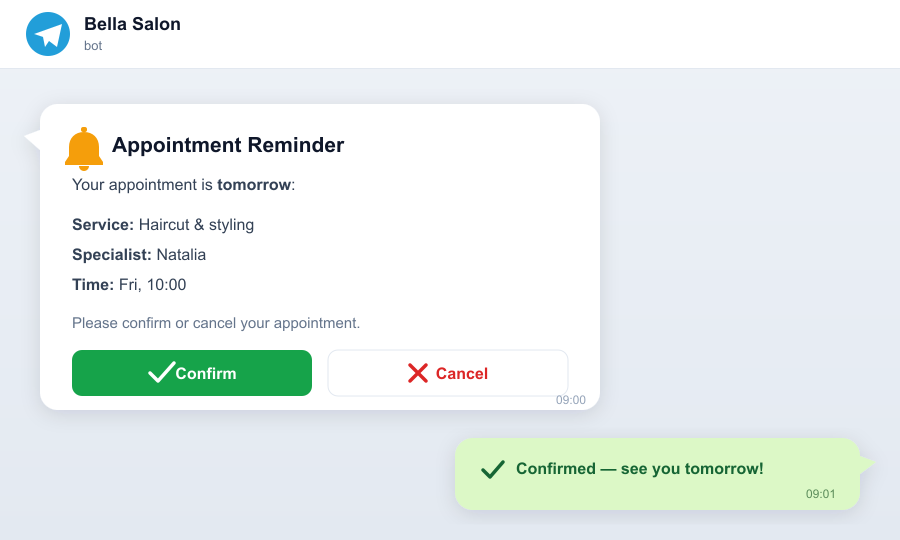
You don't set this up per booking — it just runs. For every confirmed appointment, RentABot sends:
- A 24-hour reminder the day before, so the client can plan around it.
- A 2-hour reminder shortly before, as the final nudge.
Both go out on the same channel the client used to book — Telegram, Instagram, Messenger or WhatsApp — and both carry Confirm and Cancel buttons. One tap and they're done. If they cancel, the slot is freed immediately so someone else can take it, and you're notified. Reminders are included free on every plan.
Track the no-shows you still get
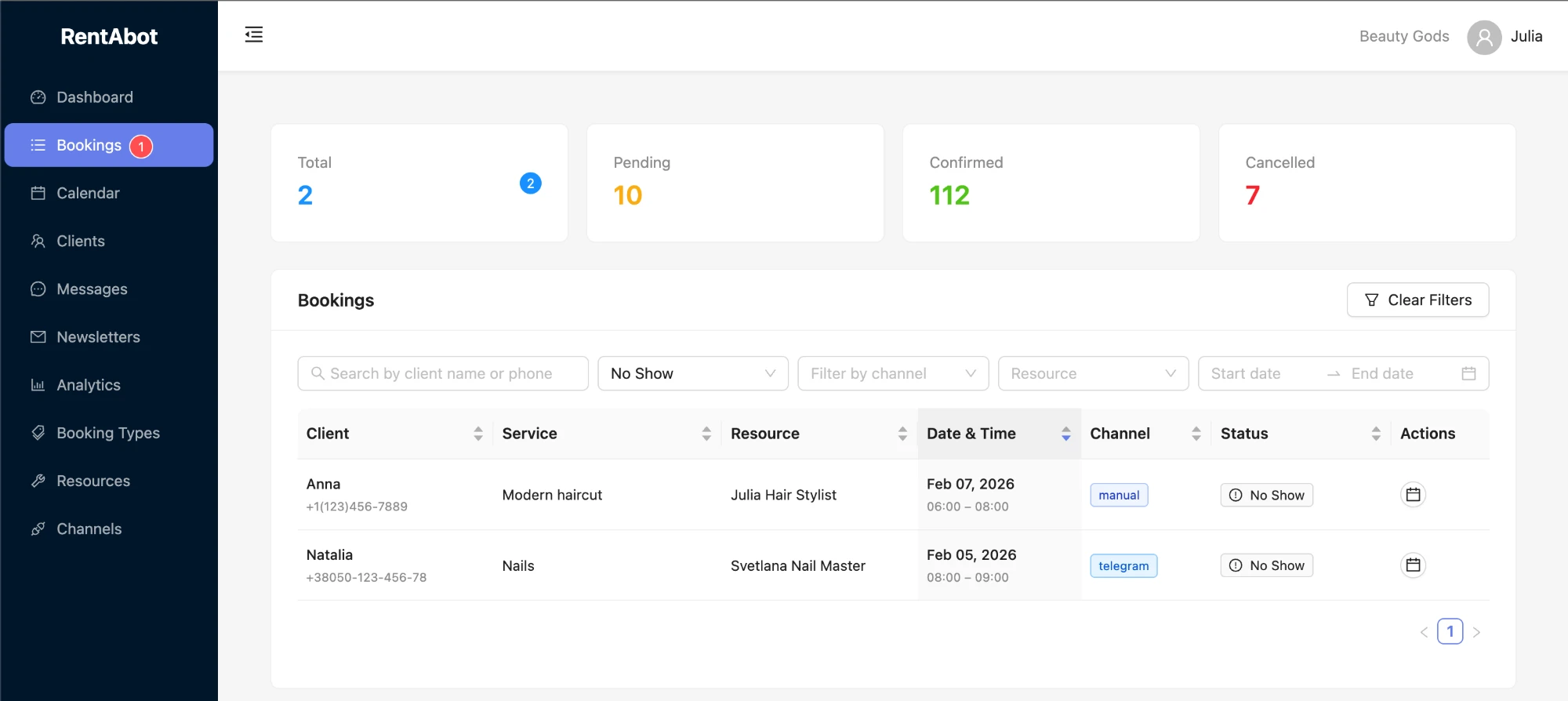
Reminders won't erase every no-show, so RentABot helps you see the ones that slip through. On the Bookings page you can mark an appointment as a no-show and filter the list to just those, so patterns are easy to spot.
Over time, each client builds a reliability score on the Clients page from their confirmed, cancelled and missed appointments — so you can spot repeat offenders and, if you want, treat high-risk bookings differently (a deposit, a manual confirmation, a friendlier nudge).
Put it to work
If you're already taking bookings through RentABot, these reminders run automatically for every booking — there's nothing extra to build. If you're not yet, connect a channel, set your services and availability, and every booking from then on gets the full 24-hour and 2-hour reminder treatment.
Ready to stop losing slots to no-shows? Start a free 14-day trial and let the reminders do the chasing.