At most clinics the phone never stops — and now the DMs don't either. "Do you have anything for a check-up next week?", "Can I move my cleaning to Friday?", "Is there a dentist who speaks English?" Every one of those pulls your front desk away from the patients standing in front of them. A booking bot handles the scheduling in the chat apps your patients already use, so appointments land in your calendar while your team looks after people. Here's how to set it up for a dental practice, a medical clinic or a physiotherapy practice.
Why chat booking suits clinics
Patients rarely want to call. They want to book at 10pm, between meetings or on the bus — and they'd rather type than wait on hold. In chat they pick the appointment type, see real free times and confirm, without your receptionist in the loop. And because RentABot speaks English, German, French, Ukrainian, Russian and Polish, patients can book in the language they're most comfortable with — you choose which languages your clinic offers.

Map your clinic in three pieces
RentABot describes your clinic the way your front desk already thinks about it:
- Appointments → Booking Types. A check-up, a hygiene cleaning, a first consultation, a follow-up, a whitening session — each with its own length and price. A 60-minute treatment blocks exactly an hour; a 15-minute follow-up only takes 15.
- Practitioners & rooms → Resources. Each dentist, doctor or hygienist is a resource, and so is each treatment room or chair. The bot never books two patients with the same practitioner, or into the same room, at the same time.
- Clinic hours → Availability. Set opening hours, each practitioner's working days, lunch breaks and time for cleaning between patients, and the bot only offers slots your clinic can really take.
New to the setup? The getting-started guide walks through services, resources and the calendar.
Let the bot book — and keep medical questions with your team
A booking bot should handle scheduling, not medicine. RentABot's booking flow only asks for a name, contact details, the appointment type and a time. When a patient writes something that needs a professional — "is this swelling urgent?", "can I eat before the procedure?" — your staff reply from the same inbox, in the same conversation. Had a patient call or message and want to book for them? The Book for Client button lets your front desk create the appointment right from the chat. Keep clinical details out of messaging apps and in your usual patient records. For a related angle, see the guide for therapists & wellness practices.
Cut no-shows on expensive chair time
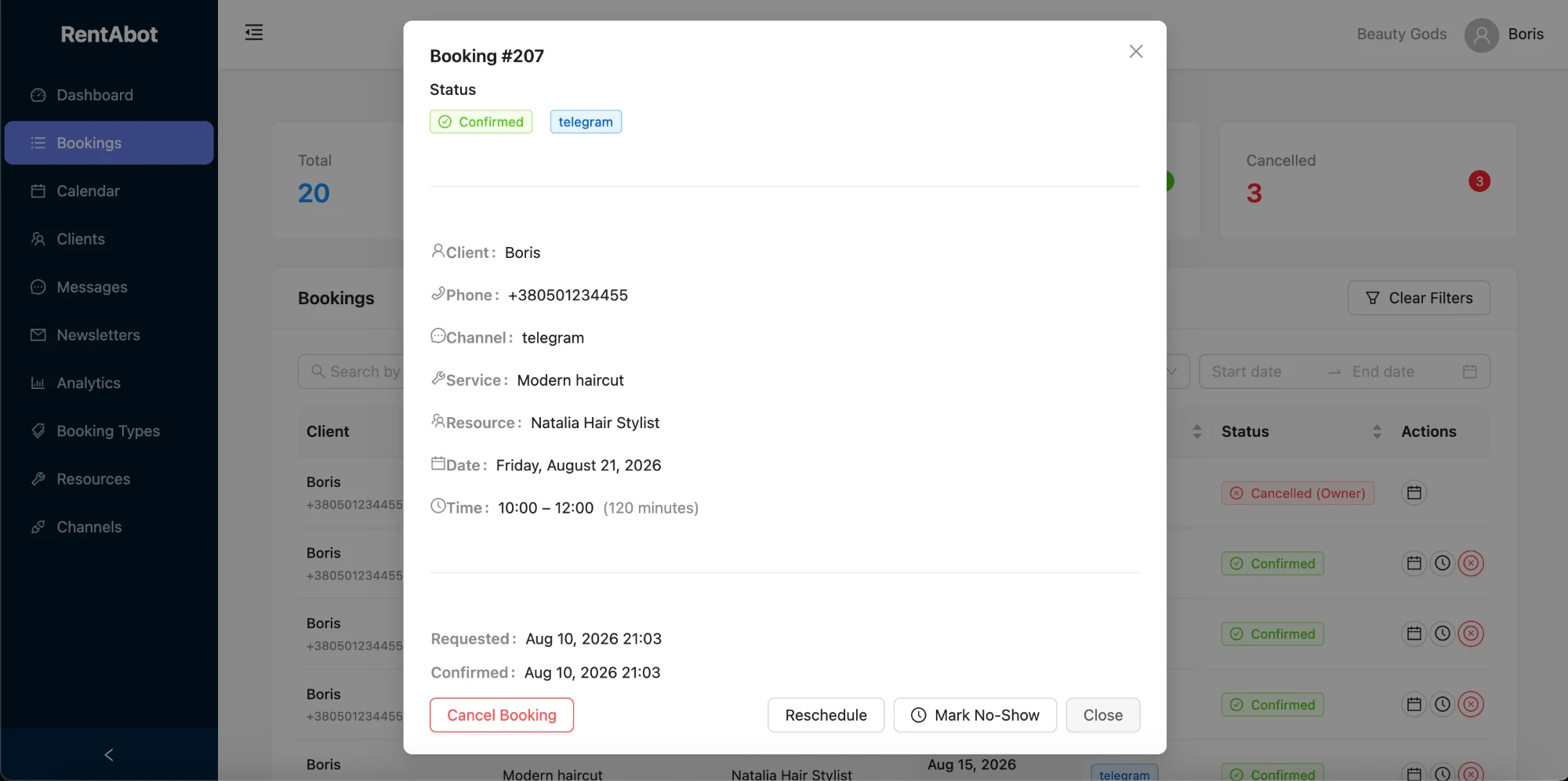
An empty chair still costs you the practitioner's time, the assistant's time and the room. RentABot sends automatic reminders the day before and again two hours before each appointment, and patients can confirm or cancel in one tap — giving you time to fill the slot. If someone doesn't turn up, Mark No-Show on the booking keeps a record, so you can spot repeat no-shows and ask them to confirm by phone next time. More in how to reduce no-shows.
One calendar for the whole clinic
Every appointment appears in RentABot's calendar, which you can filter by practitioner. Connect Google Calendar and it all syncs there too — block holidays, training days or a dentist's afternoon off, and the bot stops offering those times. Reschedule from the booking card and the patient is notified automatically. Here's how the two-way sync works.
Be bookable where patients already message you
Add your booking link to your Instagram bio, your Facebook Page, your website and your Google Business profile, and connect WhatsApp, Instagram, Facebook Messenger and Telegram — every booking lands in one calendar, whichever app the patient used. Twice a year, send a short newsletter reminding patients it's time for their check-up, with a "Book now" button, and let the bot handle the rush.
Ready to give your front desk its time back? Start free and set up your clinic in an afternoon. Want the big picture first? The overview guide covers all four channels.
Comments
No comments yet. Be the first to share your thoughts or ask a question.