Auto work is slot work. A wash takes 30 minutes, a full detail takes half a day, an oil change books a bay for an hour — and if someone doesn't show, that bay sits empty earning nothing. Right now most of that booking happens by phone while you're under a car or elbow-deep in a polish. Letting customers book their own slot, in chat, keeps the bays full without the phone ringing off the hook. Here's how to set it up.
Why chat booking suits auto services & detailing
Your customers would rather tap a few buttons than call during business hours and wait on hold. With a booking bot, they pick the service and a time right in a chat — day or night, while you're mid-job — and the slot is instantly held. No missed calls, no "let me check the book and call you back", no double-booked bays.
Map your shop in three pieces
RentABot describes your shop the way you run it:
- Services → Booking Types. An exterior wash, an interior valet, a full detail, a ceramic coat, an oil change, a tyre swap, a diagnostic — each with its own duration and price. The right block of time is reserved automatically, so a half-day detail never gets booked over a quick wash.
- Bays or staff → Resources. Each bay, ramp or detailer is a resource. Customers book into one that's free, and everyone's day stays separate so two cars never land in the same bay at once.
- Opening hours → Availability. Set when you're open and who's working, and the bot only ever offers real, free slots.
New to the setup? The getting-started guide walks through services, resources and the calendar.
What booking looks like for the customer
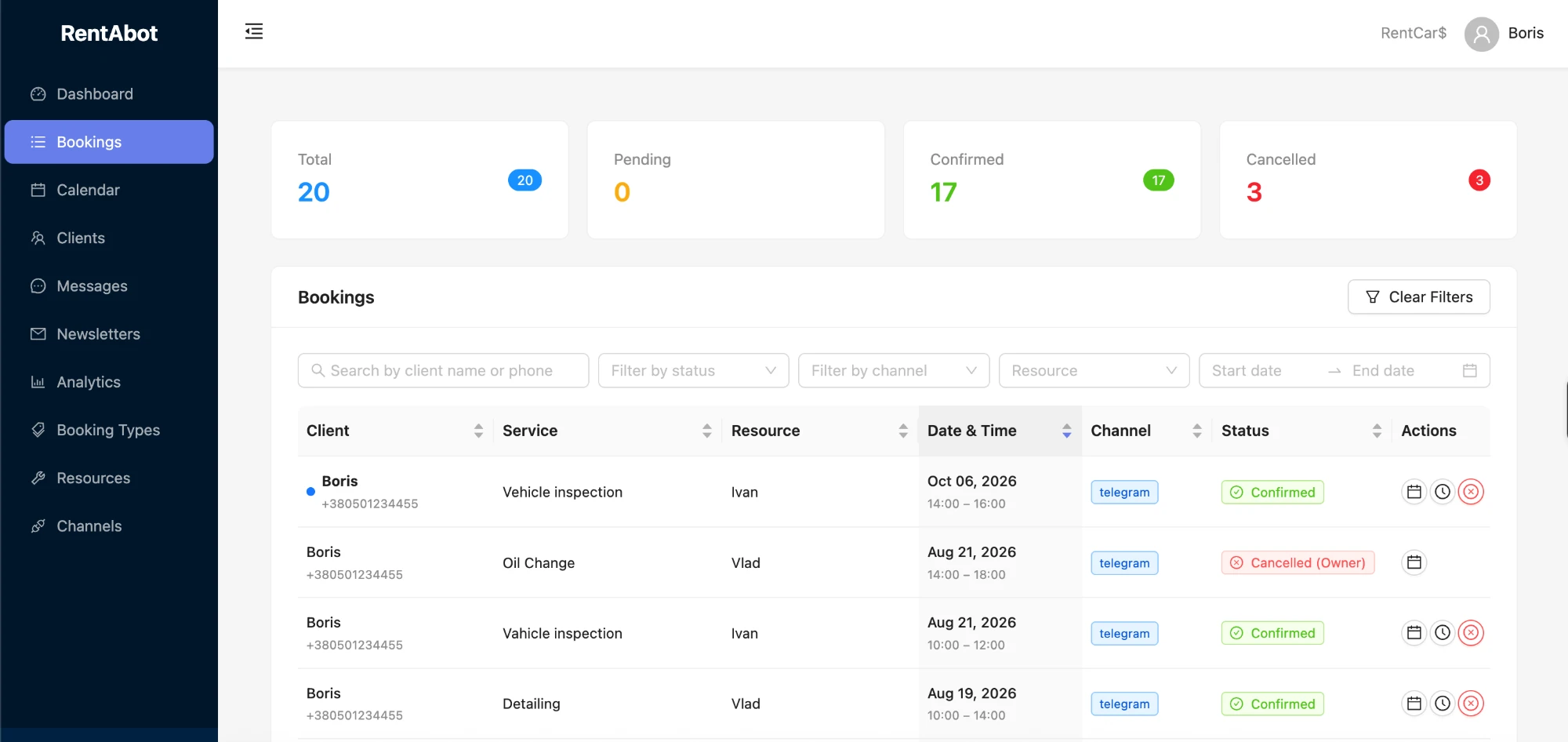
It's a quick chat: choose the service, pick from the free times, confirm with a name, number and car. They get an instant confirmation, and the job lands in your calendar with the details. It takes less time than leaving a voicemail — and you can read the booking at a glance between jobs.
Keep bays full — cut the no-shows
An empty bay is lost revenue you can't make back, especially on a half-day detail you turned other work away for. RentABot sends automatic reminders before the appointment, and customers can confirm or cancel with one tap — in time for you to slot someone else in. A reminder the day before, in an app they actually check, keeps your schedule tight. (More in how to reduce no-shows.)
One calendar for the whole shop
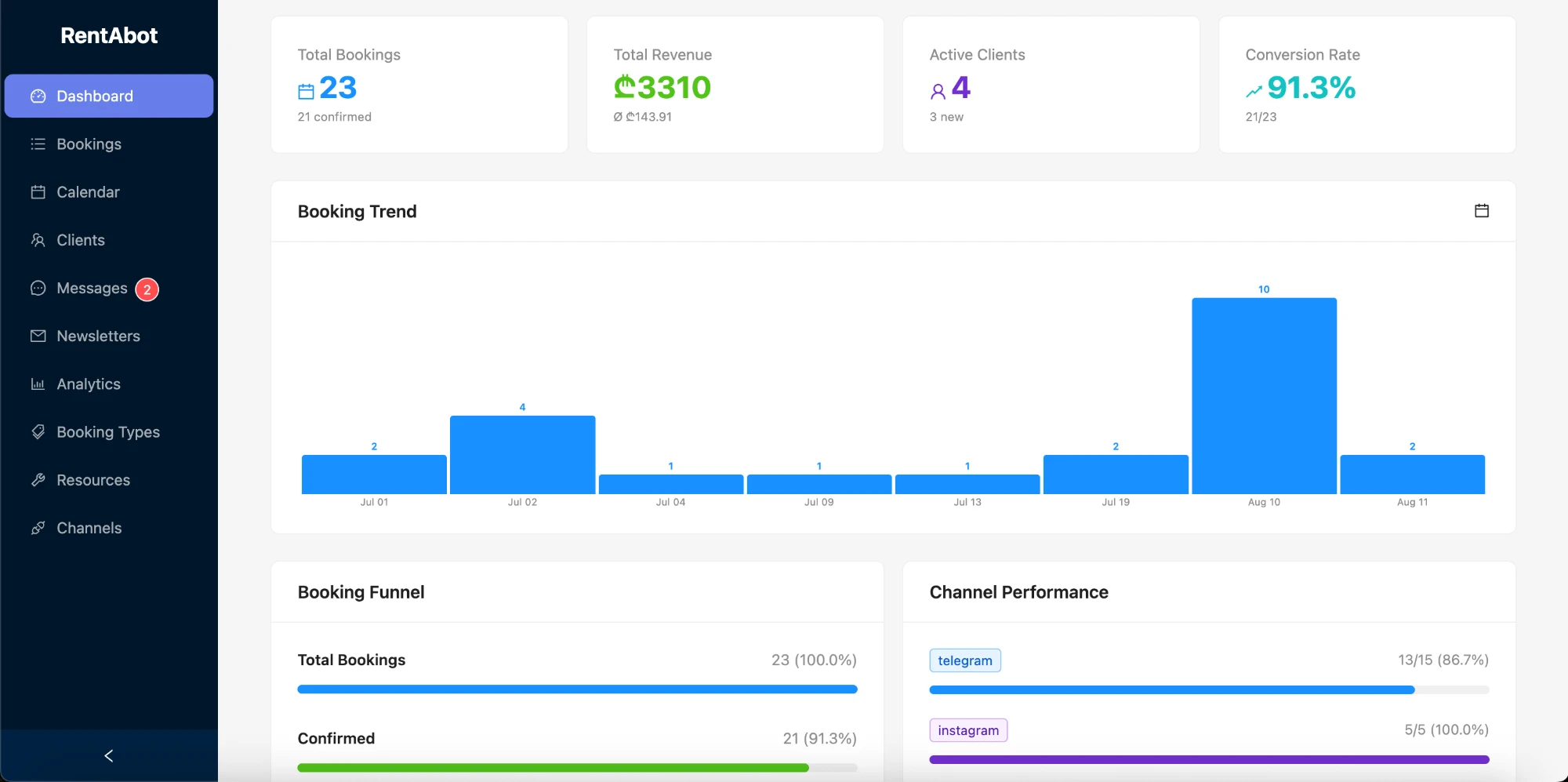
Connect Google Calendar and every job appears there automatically, by bay or detailer. Block time for a supply run, a lunch, or a day off and the bot stops offering it. Move or cancel something in your calendar and the booking updates — with the customer notified. Here's how the two-way sync works.
Be bookable everywhere your customers are
Put a booking link in your Instagram bio and Stories (detailing before/afters do numbers there), turn on the message button on your Facebook Page, add a WhatsApp link to your site, your signage and your Google profile. Every "how much to detail an SUV?" becomes a booking instead of a missed call. Connect Telegram, Instagram, Facebook Messenger and WhatsApp — customers book wherever they find you, and it all flows into one calendar.
Ready to keep every bay booked? Start free and set your shop up in an afternoon. Want the big picture first? The overview guide covers all four channels.
Comments 2