If you're thinking about letting clients book through a chat app, the first question is usually: what will it actually look like for them? The honest answer is — easier than a phone call and quicker than any booking form. Here's the whole conversation, start to finish, exactly as your client sees it. The entire thing takes under a minute.
It starts with a single tap
Your client doesn't download anything or create an account. They tap your booking link — in your Instagram bio, a post, your Facebook Page button, or a wa.me link — and a chat opens in an app they already use every day. No new tab, no login, no "please register to continue." They're just in a conversation, the same as messaging a friend.
Step 1 — Choosing the service
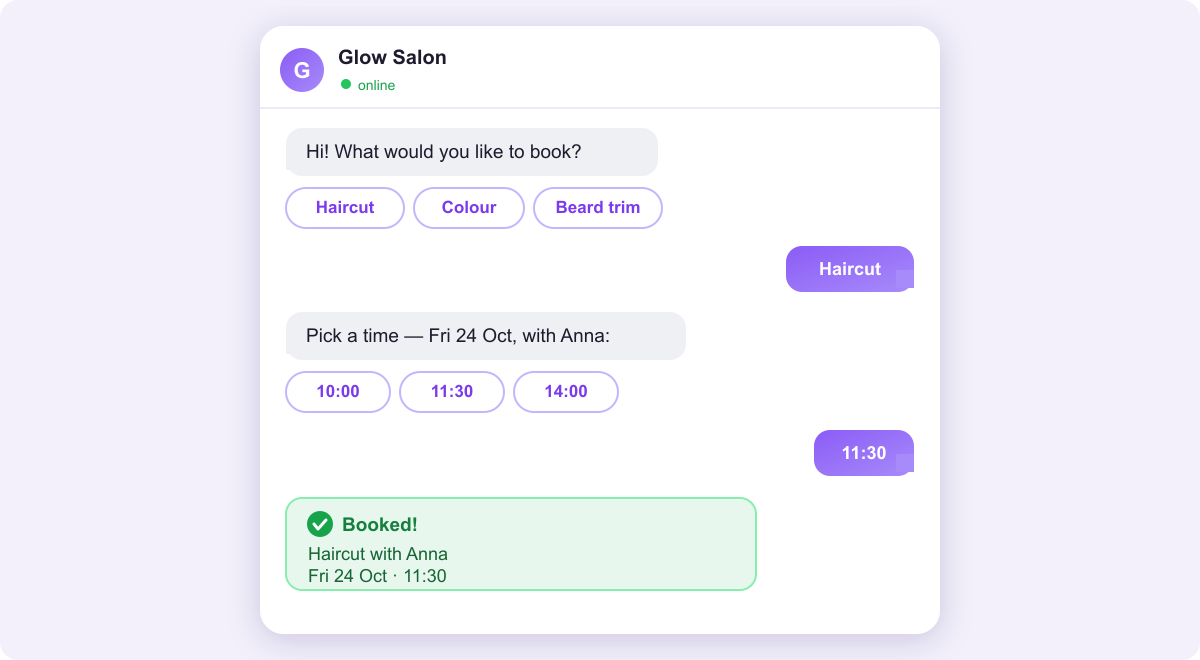
The bot greets them and shows your services as tappable buttons — a haircut, a colour, a full groom, an oil change, whatever you offer. Each one carries its real duration and price, so there's no guessing. The client taps the one they want. No typing, no scrolling through a menu they don't understand.
Step 2 — Picking who and when
If you have more than one person, the client picks who they want to see — their usual stylist, a specific trainer, or "anyone." Then the bot offers the actual free times on your calendar as buttons. They never see a slot that's already taken, and they can't double-book. They tap a time and they're almost done.
Step 3 — Confirming — name, number, done
The bot asks for a name and phone number (and anything else you need — a pet's name, a car, an address). The client types it once, confirms, and that's it. The whole exchange is a handful of taps and one short message — far less effort than waiting on hold or filling in a web form field by field.
What happens the moment they confirm
The instant the client taps confirm, three things happen automatically:
- They get a confirmation message in the same chat, with the service, time and who they're seeing.
- The booking lands in your calendar with all the details — and syncs to Google Calendar if you've connected it.
- A reminder is scheduled for before the appointment, with one-tap confirm and cancel buttons to cut no-shows.
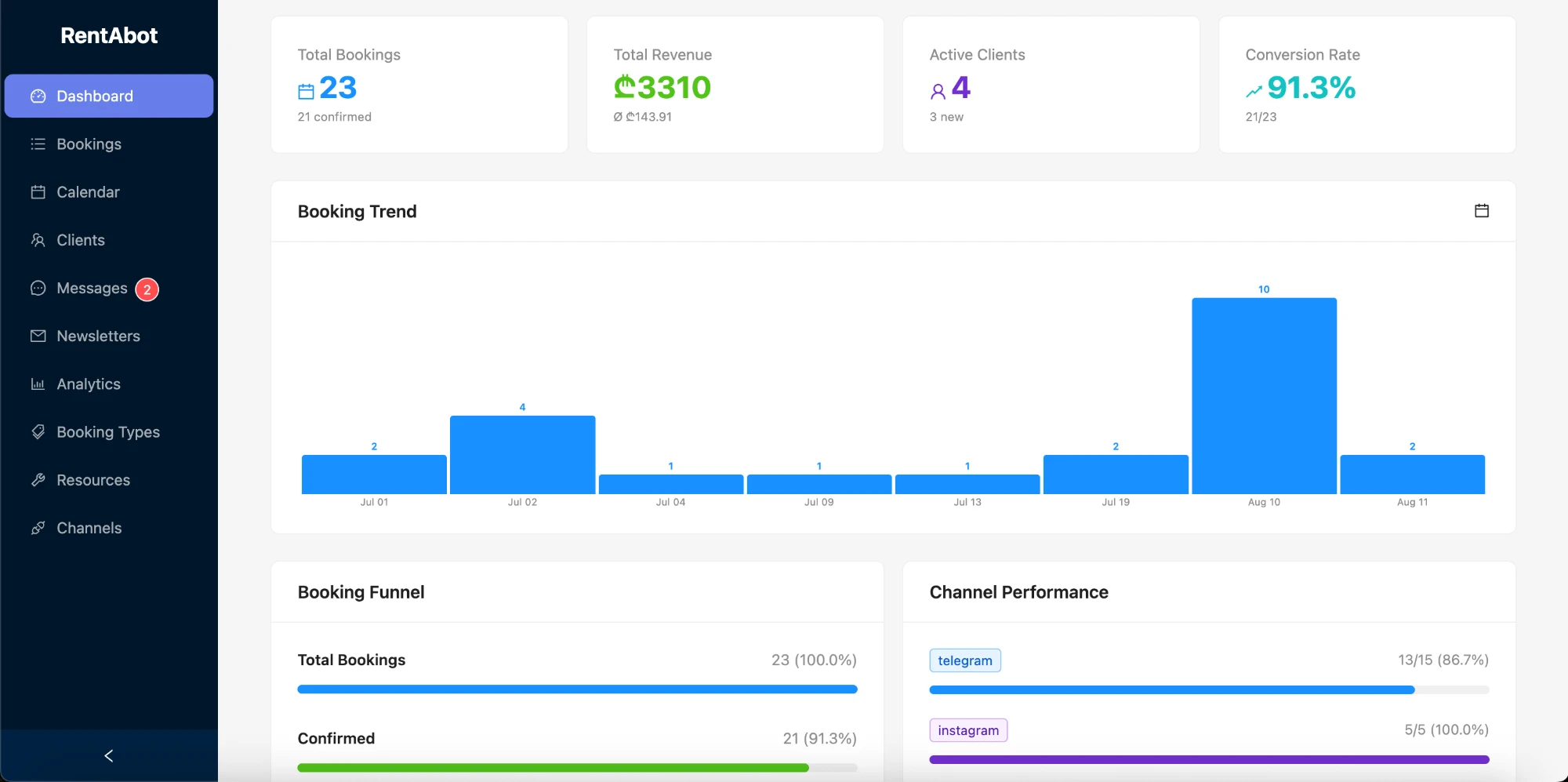
You didn't touch your phone, and the client didn't wait for you to reply. That's the whole point.
Why clients actually finish
Booking pages and forms lose people at every step — the click away, the load, the empty fields. This flow removes all of that. It happens in an app they already have open, it's tap-not-type, and it answers as they go, so there's nothing to abandon. That's why chat bookings tend to convert better than a link to a form — we dig into that in booking in chat vs. a booking page.
Want to see it from your side? Start free and set up your own booking chat in an afternoon. Not sure where to begin? The overview guide covers all four channels, and the getting-started guide walks through services, resources and your calendar.
Comments 3